
This product is sold out. May we recommend...
)
)
)
)
)
)
)
)
)
)
)
)






)
Sorry, this product is no longer available
Key Features
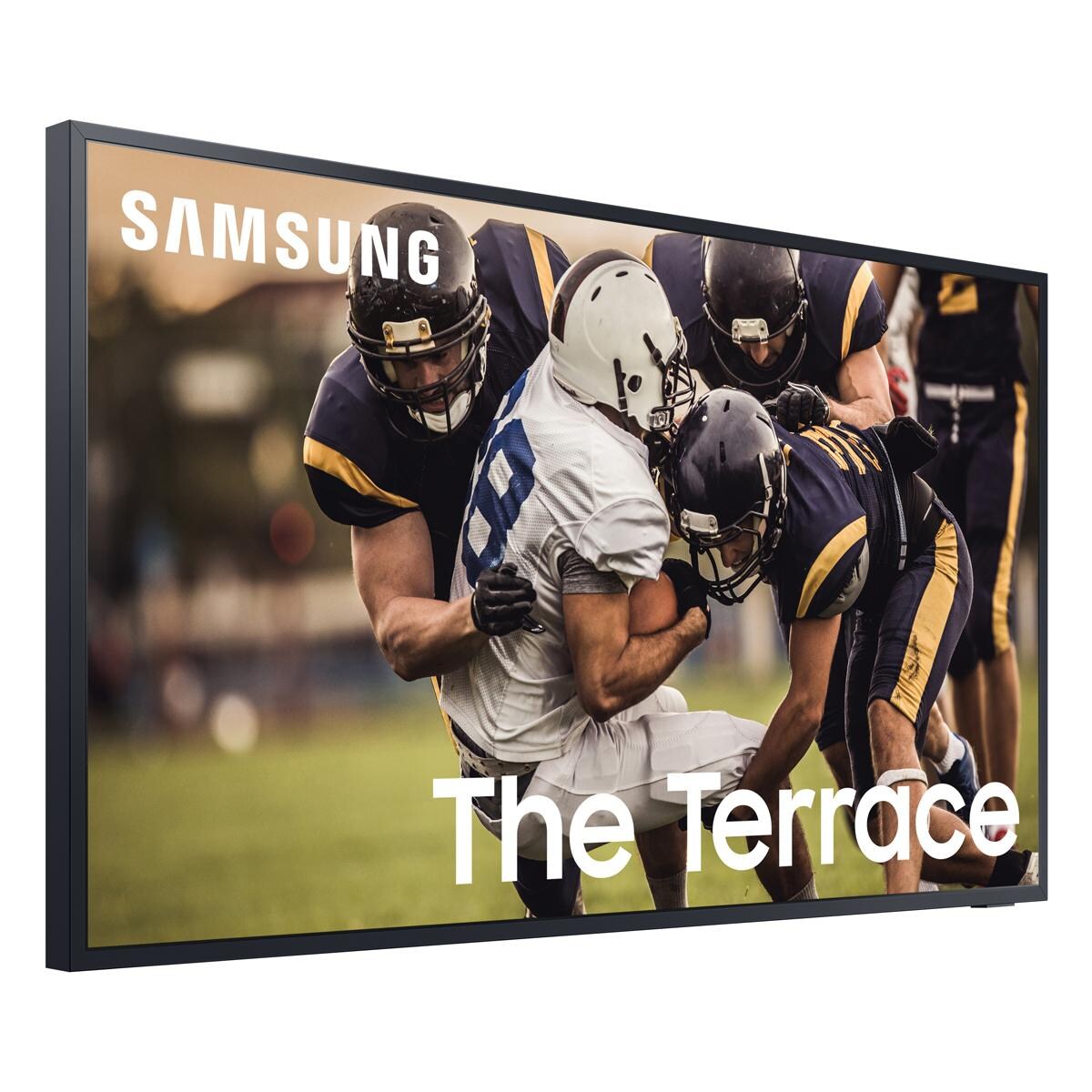
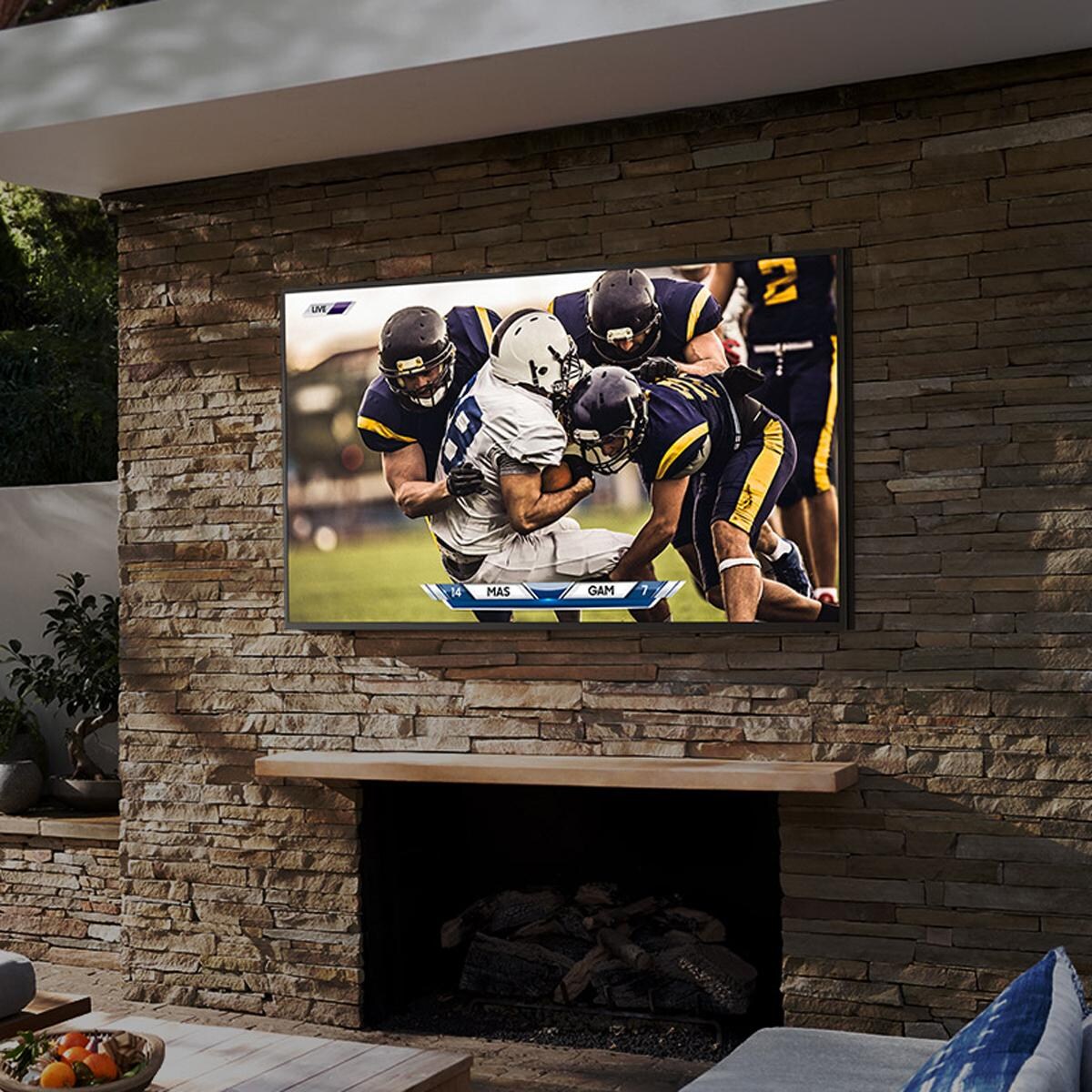
- Best in class IP55 weather-resistant durability against water & dust
- Smart TV powered by Tizen - Super easy control & enhancements that elevate watching experience
- Motion Rate 240 - Enjoy great motion clarity during fast-action moments
- Designed for use in shaded environments - partial exposure to ambient/non-direct sunlight
Legal disclaimers and warnings
Product packaging, owners’ manuals, installation instructions, and/or operating instructions may include more information than what is shown on our website. The content on our site is intended to be used for reference purposes only. Please fully read all included manuals and documentation before installing or using this product. WARNING for California residents: this product may contain chemical(s) known to the state of California to cause birth defects, cancer, or other reproductive harm.
)
Ask an Expert
Expert Help, Zero Hassle
Stop Searching, Start Living
Advice We Stand Behind
Learning Center

Warranty
Refer to manufacturers manual for full warranty details.
Customer Reviews
Chicago
Dec 29, 2023

Pictures ok. Hard to read script. Tried various settings to no avail
Nov 24, 2025
Hi Nordsea, Thank you for sharing your experience with Samsung's S90C TV. So we can better understand the issues you’re experiencing and provide you with settings adjustments specific to your usage scenario, please reach out to Samsung Customer Support at 1-800-SAMSUNG, 8AM - 12AM EST, 7 days a week. Our LiveChat agents are also available by clicking on the ‘Support’ link on our website. ~ Samsung Specialist
Massachusetts
Dec 27, 2023
You cannot use dts:x while in q symphony mode. It is only an option when you are connected to the soundbar only. So this was a waste of money and very misleading.
Nov 24, 2025
Hello Nate, Thank you for sharing your experiences with the HW-S50B Samsung Soundbar. I am sorry to see that your expectations of the Soundbar were not met. Your review is very important to us and will be shared among our internal teams. Should you ever have questions or need help, please call us at 1-800-SAMSUNG (ask for Soundbars), available 8 AM – 12 AM EST, 7 days a week. For additional support resources, visit us on the Samsung website and click on the ‘Support’ link in the upper right corner of the homepage for: 1) Chat with Us/Product Help: To begin a chat or find solutions, choose ‘TVs & Home Theater’ and select your model & topic. 2) Manuals & Software 3) Warranty Info 4) Register a Product: For access to easy warranty support, convenient opt-in to special promos and offers, faster troubleshooting and service, and quick notification of system updates 5) Contact Us ~ Samsung Solutions
undisclosed
Dec 27, 2023
I got this tv last spring in an exchange for my older tv (q70)which was under warranty. This tv is great during the nighttime. In the daytime during dark scenes there is a lot of glare/reflection. Also I have a problem, not so much now but the first couple of months, when I turn on the tv it immediately turns off. The sound quality not so good compared to my older (returned) tv.
Nov 24, 2025
Hi, It’s unfortunate to hear your QN95C TV is turning off by itself. Please try a few troubleshooting steps that may help solve the issue: 1. Unplug the TV from the wall outlet or surge protector and leave it unplugged for 30 seconds. 2. Check the power cord to see if there is any visible damage. 3. Plug the TV power cord back into the wall outlet. If you were using a surge protector, bypass it for now and use a wall outlet. 4. Try to update the software. In some cases, a software update can correct the problem. There is a risk, however. If the TV turns off during the software update, it could damage the TV. Updates can take up to 30 minutes depending on network speed, so if the TV is not turning off too frequently, try updating the software. You may also want to try disabling some of the TV's energy efficiency functions. See if Sleep Timer has been enabled. The Sleep Timer automatically turns the TV off after a specific period of time. Go to: Menu > Settings > All Settings > General & Privacy > System Manager > Time > Sleep Timer If the Sleep Timer has not been enabled, see if Auto Power Off or Off Timer have been enabled and disable it. - Menu > Settings > All Settings > General & Privacy > Power and Energy Saving > Auto Power Off - Menu > Settings > All Settings > General & Privacy > System Manager > Time > Off Timer If the TV continues to turn off by itself, please call us at 1-800-SAMSUNG, 8AM - 12AM EST, 7 days a week. Our LiveChat agents are also available by clicking on the ‘Support’ link on our website. ~ Samsung Specialist
undisclosed
Dec 26, 2023
Bought this TV a week ago and I am very happy with it👍.
undisclosed
Dec 26, 2023
Extremely pleased with my purchase. Love the Samsung TV and all the extra channels
Arizona
Dec 24, 2023
I purchased my 50" Amir a month ago. I'm pleased with the ease of set up and the remote function is user friendly too.
CA
Dec 24, 2023
i absolutely love samsung televisions and the brand. my former samsung is smaller, but this 50" is perfect for the space. the sound is wonderfully clear and it's got all sorts of streaming possibilities. i'm always happy with the samsung brand!
Phoenix, AZ
Dec 24, 2023
Generally, I like Samsung products. This a good TV, excellent picture quality and many features. Frustratingly hard to get all the settings right. I have a Disney+ account that includes ESPN+. ESPN+ is nowhere to be found in the apps. Netflix works but there is no sound. I'm sure it's a settings issue but nothing should be this hard.
Nov 24, 2025
Hi Hog80ci, Thank you for sharing your experience with the CU7000 TV and reaching out about the issues with finding the ESPN+ app. Please know we are here to help. First, let's ensure you are running the latest Firmware. Go to Settings> Support> Software Update. Once updated, go to Home> Apps> and Search for the ESPN+ app from there. If you see a picture but no sound, please try the below Setting adjustments: 1) Please check the volume control of your TV, and then check the volume control of any external devices (cable box or satellite box, DVD, Blu-ray, etc.) connected to your TV. Also, check the cable connection between any external device and the TV and then try the cable connection again. 2) Set Sound Output to the TV Speaker by going to Settings > All Settings> Sound > Sound Output. 3) Check whether Digital Output Audio Format is set to Pass-Through by going to Settings > All Settings> Sound > Expert Settings > Digital Output Audio Format > Auto. I hope these tips help you enjoy your new product. You can contact us for further help at 1-800-SAMSUNG, 8 AM - 12 AM EST, seven days a week. Our LiveChat agents are also available by clicking on the ‘Support’ link on our website. ~ Samsung Advisor
Salem Oregon
Dec 23, 2023
I don't recommend this product . The remote is very difficult to use. You have to guess at how it works and is controlled. They do well trying to hook you to every company. To buy something. Sound is mediocre at best. But it is supposedly great if you also buy their sound bar. This will be my last Samsung purchase if this is their best.my entire house is a smart house. This misses on most fronts.
Nov 24, 2025
Hi Hdimatteo, We appreciate your feedback on the CU7000 TV. Please know that many of the buttons on your remote have multiple functions. For example, the Volume button is moved UP/DOWN to adjust the volume, and to MUTE the sound, you need to PRESS it in. If that same button is pressed for more than 1 second, the Accessibility Shortcuts appear. You can find more information regarding the remote on pages 24-26 of the full user manual. You can also learn how to use your remote directly from your TV. Just go to Home> (left directional button) Settings> Support> Remote Control Guide. We recommend adjusting the Sound Settings to improve your experience. You can change the Sound Mode by going to Settings > All Settings> Sound > Sound Mode. If you ever have questions or need help, Samsung is here for you! Give us a call at 1-800-SAMSUNG, 8 AM - 12 AM EST, seven days a week. Our LiveChat agents are also available by clicking on the ‘Support’ link on our website. ~Samsung Advisor
undisclosed
Dec 23, 2023
Very, very good TV. I have several Samsung TV's and they haven't failed me. I will continue to purchase Samsung products. However, the remote to this TV is abysmal and cheap. I've requested they send me the older version remote (great remote...good buttons and great size), but I've had difficulty reaching a department that can help. Please do contact me as I would really appreciate the older remote shipped to me. I feel its a small request for the big purchases I've made. Other than that, I'm extremely pleased with Samsung...and I've had a very nice experience with an online support customer care specialist.
Questions & Answers
Be the first to write a question!
Compare Similar Items
Current Item | ||||
TV Type | LED | LED | LED | LED |
|---|---|---|---|---|
Screen Size | 74 1/2" | 75 Inch | 75" | 75" |
Screen Resolution | 2160p/4K Ultra HD | 2160p/4K Ultra HD | 2160p/4K Ultra HD | 2160p/4K Ultra HD |
Smart TV | Yes | Yes | Yes | Yes |
Mount Type | No Mount | No Mount | Wall Mount | Wall Mount |
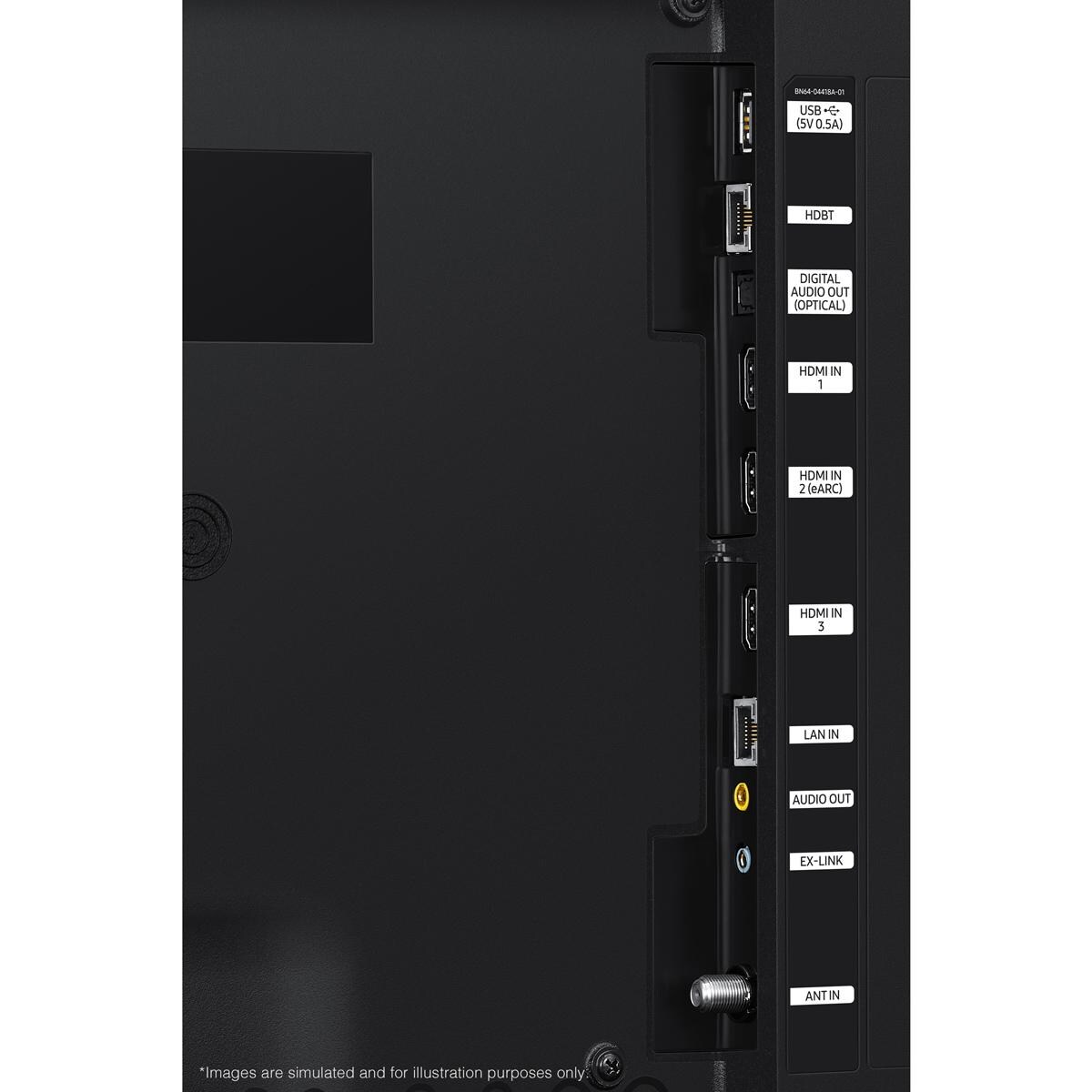
HDMI Inputs | 3 | 3 | 3 | 4 |
Size | 75 Inch | 75 Inch | 75 Inch | 75 Inch |
Screen Refresh Rate | 120 Hz | 120 Hz | 60 Hz | 60 Hz |
Mount Pattern | 400 X 400 | 400 X 400 | 200 X 200 | 300 X 300 |
Primary Color | Black | Black | Black | Black |
Aspect Ratio | 16:09 | 16:9 | 16:09 | 16:09 |
Maximum Resolution | 3840 X 2160 | 3840 X 2160 | 3840 X 2160 | 3840 X 2160 |
USB Port | 1 | 1 | 2 | 1 |
Sun Exposure | Partial Sun | Partial Sun | Full Sun | Shade |
Component Video Inputs | None | None | None | -- |
Composite Inputs | None | None | None | -- |
PC Input | No | No | Yes | Yes |
RF Antenna Input | Yes | Yes | Yes | -- |
Audio Outputs | 1 | 1 | None | -- |
Speaker Output Power | 20W | 40W | 20W | -- |
Ethernet Port | Yes | Yes | Yes | Yes |
Operating Temperature | 0 To 122 | -22 To 122 F | -24 To 125 | -22 To 125 |
Series | The Terrace | The Terrace | S300 | G100 |
Width | 66.6" | 66.6" | 65.7" | 65" |
Height | 38.6" | 38.6" | 37.7" | 37.8" |
Depth | 2.4" | 2.7" | 1.1" | 3" |
Weight | 111 lbs | 111 lbs | 88 lbs | 110 lbs |
)
Proposition 65
For more information, go to www.p65warnings.ca.gov
Shipping & Returns
Free Shipping on orders over $49
Ship your entire order to your home for free, especially the big stuff!
*Continental US only
When will my item arrive?
Once shipped, items usually arrive within 3-5 business days. While UPS and FedEx are our carriers for smaller items, be aware that larger items and orders are shipped via freight. The freight process is a bit more complicated than what we've all come to expect for small parcels, so it's important that you're prepared and understand what's required of you well before delivery day.
- Most freight products ship on a pallet
- Some carriers will call to schedule a delivery window, while others will deliver the shipment to a reasonably accessible location closest to your residence (their goal is to deliver as near a garage door as they can).
- We'll specify which process you can expect in your shipping confirmation email.
For carriers that schedule delivery appointments:
Carriers that schedule delivery appointments require you to be home for delivery and provide your signature. The delivery is made with a semi-truck with lift gate services, and the shipment is dropped off at the curb. If you authorize the shipping company to leave the delivery without a signature, BBQGuys can't be held responsible for damages that occur during delivery. As complicated as this process may seem, we've only scratched the surface here — please review our detailed guide to freight delivery so there are no surprises when a freight shipment heads your way.
For carriers that deliver without an appointment:
Carriers that deliver without an appointment don't require you to be home or set up a delivery window, and you aren't required to sign for the pallet(s). Instead of scheduling an appointment, arranging your schedule to be home for the delivery, and signing to confirm receipt, you can sit back and let your items come to you. If you're home at the time of the drop-off, you can request the driver place your delivery in the garage; if you're out of the house, the driver will leave it near the garage or doorstep.
This item leaves our warehouse within 24 Hours
$49 Flat-Rate Shipping
Anything under $49 ships at one low price. If your order increases, your shipping stays the same!
30-Day Returns
Return all new, unused, and unassembled items in their original packaging, and we'll give you a full refund minus the cost of the original AND return shipping.
No Restocking Fee
Most companies charge a restocking fee. We just don't do business that way.

