
This product is sold out. May we recommend...
)
)
)
)
)
)
)
)
)
)
)
)






)
Sorry, this product is no longer available
Key Features
- Best in class IP55 weather-resistant durability against water & dust
- Smart TV powered by Tizen - Super easy control & enhancements that elevate watching experience
- Motion Rate 240 - Enjoy great motion clarity during fast-action moments
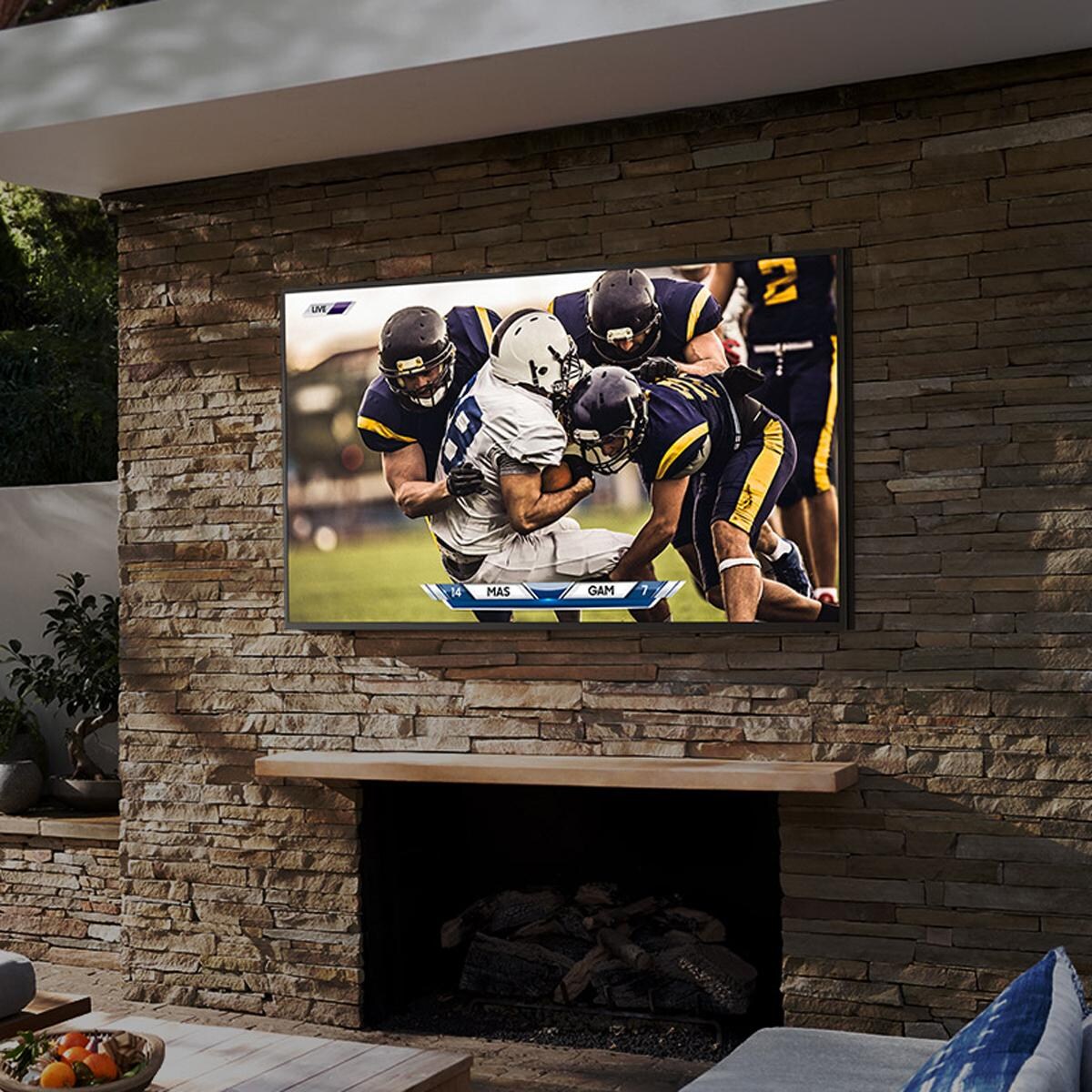
- Designed for use in shaded environments - partial exposure to ambient/non-direct sunlight
Legal disclaimers and warnings
Product packaging, owners’ manuals, installation instructions, and/or operating instructions may include more information than what is shown on our website. The content on our site is intended to be used for reference purposes only. Please fully read all included manuals and documentation before installing or using this product. WARNING for California residents: this product may contain chemical(s) known to the state of California to cause birth defects, cancer, or other reproductive harm.
)
Ask an Expert
Expert Help, Zero Hassle
Stop Searching, Start Living
Advice We Stand Behind
Learning Center

Warranty
Refer to manufacturers manual for full warranty details.
Customer Reviews
Orlando, FL 32839
Feb 11, 2024

I just bought theis tv on December and The TV glitches and turns on and off by itself, I have tried contacting Samsung but no help at all, worst purchase so far.
Nov 24, 2025
Hi Bryan, Thank you for reaching out and letting us know about the screen issues you are having with your CU7000 TV. Please give us a chance to make this right by contacting us so we can schedule a service appointment. Call us at 1-800-SAMSUNG, 8 AM - 12 AM EST, seven days a week. Or Chat with us on Samsung.com: https://www.samsung.com/us/support/contact/ ~ Samsung Advisor
undisclosed
Feb 9, 2024
i purchased the soundbar Dec. 13, 2023 and the soundbar is already giving me problems. the speaker sounds like its blown out.
Nov 24, 2025
Hello javier, We appreciate your feedback regarding the issues you are experiencing with your Samsung HW-S61B Soundbar. There are a few steps you can take to troubleshoot your Soundbar. First, try doing a soft reset, unplug the soundbar from the outlet for roughly 30 seconds and then plug it back in. Next, update the firmware on your soundbar. The easiest way to accomplish this would be to download the SmartThings app and connect your Soundbar to Wi-Fi. This will allow you to not only download any firmware updates but also control your entire soundbar on the screen of your smart device. Please also verify that you are running the latest firmware on your TV. You can check to see what software version your TV is using and if there is an available update through the settings on your TV. Go to: Menu > Settings > Support > Software Update. If this still does not correct your issue, then do a hard reset. With the Soundbar on, press the + & - Volume buttons on the body of the soundbar at the same time for at least 5 seconds. The LED display changes as follows: White moves from left to right and right to left, and the middle LED blinks Cyan 3 times. Then the middle LED will blink RED and turn off. Samsung is committed to providing the best possible product experience, quality, and value. We back this Samsung Soundbar with a 1-year limited manufacturer's warranty, including authorized repair for manufacturer defect, if purchased brand-new directly from an authorized seller. Please give us the opportunity to assist you by contacting Samsung Customer Support at 1-800-SAMSUNG, 8AM - 12AM EST (Ask for Soundbars), 7 days a week. Our Live Chat agents are also available by clicking on the ‘Support’ link on our website. ~ Samsung Solutions
Tampa, FL
Feb 7, 2024
This soundbar sounds incredible for its size. It's a great addition to your tv.
undisclosed
Feb 7, 2024
Very nice TV, good size and picture. It's nice all streaming options available.
undisclosed
Feb 6, 2024
The sound on my 65 inch Samsung CU70000 is not great constantly goes down when you change channels. Can't get it to work even with a Samsung sound bar.
Nov 24, 2025
Hi RodA, I apologize for the inconvenience you have had with the inconsistent sound volume on your CU7000 TV. Please try adjusting the following Settings to improve your experience. The Auto Volume function automatically adjusts the sound to a certain level when changing channels or switching to another external input. Go to Settings > All Settings> Sound > Expert Settings > Auto Volume = On. You may also want to perform a Sound Test under Support > Self Diagnosis > Start Sound Test. When connecting your TV to a Samsung Soundbar, please ensure these settings are on correctly. 1) Set the Sound Output to the TV Speaker by going to Settings > All Settings> Sound > Sound Output. 2) Check whether Digital Output Audio Format is set to Pass-Through by going to Settings > All Settings> Sound > Expert Settings > Digital Output Audio Format > Auto. If you continue to have issues, please call us at 1-800-SAMSUNG, 8 AM - 12 AM EST, seven days a week. LiveChat with an agent, as well as manuals, software, and warranty info, can be found at the ‘Support’ link on our Samsung website. ~ Samsung Advisor
Cape Girardeau Missouri
Feb 5, 2024
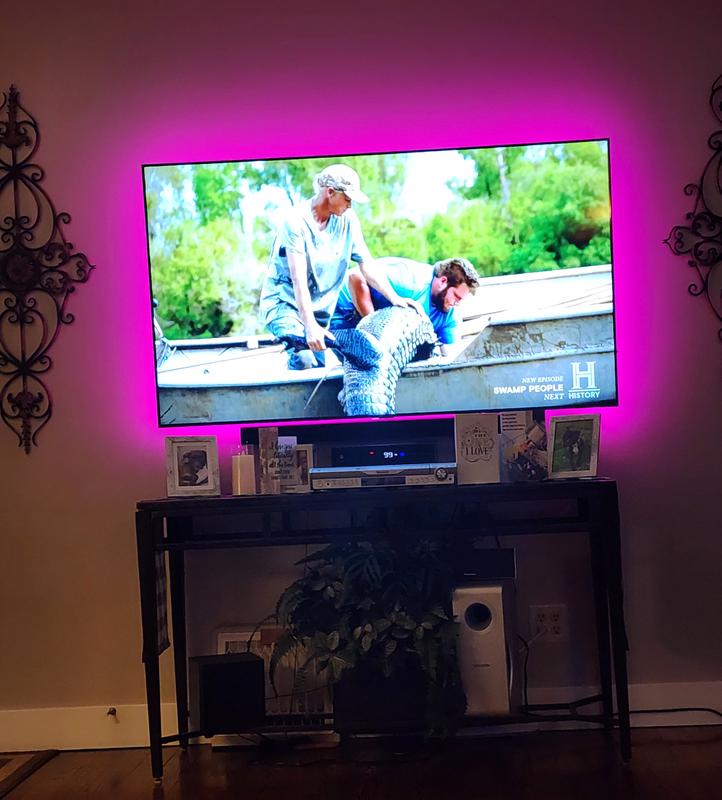
We just bought this TV 24 hours ago and cannot believe how sharp the picture is. The pictures much better than the Vizio which we thought had the best picture before now. My only complaint is the remote control is very hard to figure out because one button will do three functions
Nov 24, 2025
Hi Missouri Explorers, It's great to hear that you are enjoying the 4K Picture Quality on your new CU7000 TV. To learn how to use your Samsung remote and understand the settings on your TV, please use your remote to access the remote guide. Go to Home> (left directional button) Settings> Support> Remote Control Guide. If you need more help, Samsung is here for you. Please call us at 1-800-SAMSUNG, 8 AM - 12 AM EST, seven days a week. Our LiveChat agents are also available by clicking on the ‘Support’ link on our website. ~Samsung Advisor
undisclosed
Feb 5, 2024
Overall, it's pretty good. The picture quality is good. My three stars is based upon the very limited remote function. They need a bigger and more expensive remote to make this a five star TV.
Nov 24, 2025
Hi Dean, Thank you for your feedback on the CU7000 TV remote. Please know that many of the buttons on your remote have multiple functions. For example, the Volume button is moved UP/DOWN to adjust the volume, and to MUTE the sound, you need to PRESS it in. If that same button is pressed for more than 1 second, the Accessibility Shortcuts appear. To learn more about the functions of your remote directly from your TV, go to Home> (left directional button) Settings> Support> Remote Control Guide. If you ever have questions or need help, Samsung is here for you! Give us a call at 1-800-SAMSUNG, 8 AM - 12 AM EST, seven days a week. Our LiveChat agents are also available by clicking on the ‘Support’ link on our website. Thanks for being a part of the Samsung family! ~ Samsung Advisor
Chicago suburb
Feb 5, 2024
got it to replace my 11 yr old Samsung plasma tv , which worked flawlessly til it died ! It's a beautiful picture, much lighter weight than the old plasma, and so far the only thing I can complain about is that I wish it had an audio tone control ! No bass or treble adjustment. Need that to adjust between some shows due to audio variances.
Bay Area, California
Feb 4, 2024
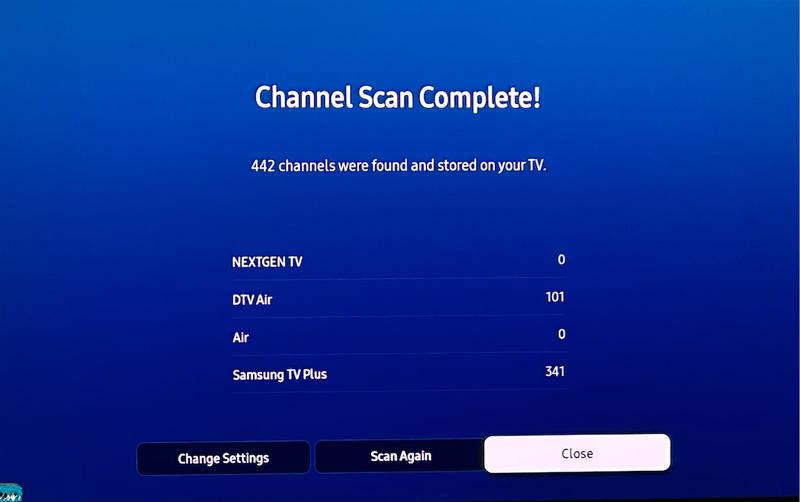
I purchased this TV two months ago and have been enjoying the experience for the most part. The image quality is absolutely gorgeous and a visually stimulating upgrade from my FullHD LED TV. The IP TV channels are a nice bonus I wasn't expecting. I had 3 major reasons to upgrade: 1) 4K / OLED / Picture Quality: Very Happy here as stated above! 2) Reception of ATSC 3.0 NextGen over-the-air broadcast: The channel scan is not picking up NextGen channels, despite living in California bay area where all major networks are broadcasting NextGen. I will continue to try to get this working. 3) Recording or pausing of live (antenna) TV: I learned the hard way this is NOT supported by this TV. I hoped to get rid of my external DVR for a clean setup, but for some reason one of Samsung's most advanced TVs does not support the feature.
Nov 24, 2025
DavisGuy01, Thank you for sharing your experience. Please know live recording is not available directly on Samsung TVs; you will need to utilize an OTA (over air) DVR for these capabilities. To rescan for OTA channels, please go to: Menu > Settings > All Settings > Broadcasting > Auto Program > and Select Start to begin auto-programming. Select from Air, Cable, or Both. - Select Air if you are using an Antenna only and you want the fastest results. - You can press Home, navigate left to source, and then select TV. - If you select Both, it will take longer to scan, but you may find more channels. To select channels directly by channel number, press the “123” button on the remote to display the soft numeric keypad. Select the channel number and press done. Note: The channel must be scanned in before you can select it. I hope this helps. If you need more assistance, Samsung is here for you. Please call us at 1-800-SAMSUNG, 8AM - 12AM EST, 7 days a week. Our LiveChat agents are also available by clicking on the ‘Support’ link on our website. ~ Samsung Specialist
undisclosed
Feb 4, 2024
I bought a couple of weeks ago, love the T V but not the remote
Questions & Answers
Be the first to write a question!
Compare Similar Items
Current Item | ||||
TV Type | LED | LED | LED | LED |
|---|---|---|---|---|
Screen Size | 74 1/2" | 75 Inch | 75" | 75" |
Screen Resolution | 2160p/4K Ultra HD | 2160p/4K Ultra HD | 2160p/4K Ultra HD | 2160p/4K Ultra HD |
Smart TV | Yes | Yes | Yes | Yes |
Mount Type | No Mount | No Mount | Wall Mount | Wall Mount |
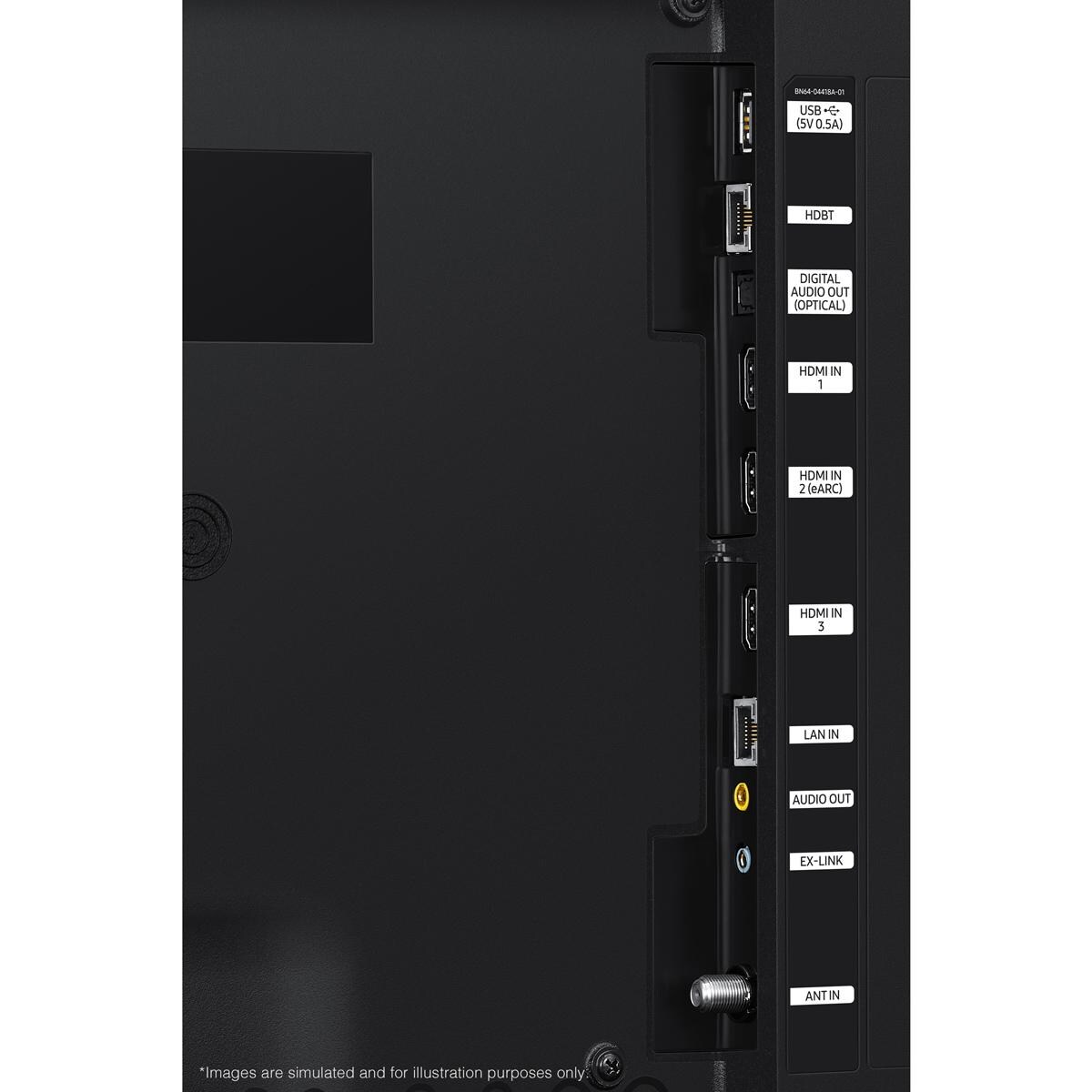
HDMI Inputs | 3 | 3 | 3 | 4 |
Size | 75 Inch | 75 Inch | 75 Inch | 75 Inch |
Screen Refresh Rate | 120 Hz | 120 Hz | 60 Hz | 60 Hz |
Mount Pattern | 400 X 400 | 400 X 400 | 200 X 200 | 300 X 300 |
Primary Color | Black | Black | Black | Black |
Aspect Ratio | 16:09 | 16:9 | 16:09 | 16:09 |
Maximum Resolution | 3840 X 2160 | 3840 X 2160 | 3840 X 2160 | 3840 X 2160 |
USB Port | 1 | 1 | 2 | 1 |
Sun Exposure | Partial Sun | Partial Sun | Full Sun | Shade |
Component Video Inputs | None | None | None | -- |
Composite Inputs | None | None | None | -- |
PC Input | No | No | Yes | Yes |
RF Antenna Input | Yes | Yes | Yes | -- |
Audio Outputs | 1 | 1 | None | -- |
Speaker Output Power | 20W | 40W | 20W | -- |
Ethernet Port | Yes | Yes | Yes | Yes |
Operating Temperature | 0 To 122 | -22 To 122 F | -24 To 125 | -22 To 125 |
Series | The Terrace | The Terrace | S300 | G100 |
Width | 66.6" | 66.6" | 65.7" | 65" |
Height | 38.6" | 38.6" | 37.7" | 37.8" |
Depth | 2.4" | 2.7" | 1.1" | 3" |
Weight | 111 lbs | 111 lbs | 88 lbs | 110 lbs |
)
Proposition 65
For more information, go to www.p65warnings.ca.gov
Shipping & Returns
Free Shipping on orders over $49
Ship your entire order to your home for free, especially the big stuff!
*Continental US only
When will my item arrive?
Once shipped, items usually arrive within 3-5 business days. While UPS and FedEx are our carriers for smaller items, be aware that larger items and orders are shipped via freight. The freight process is a bit more complicated than what we've all come to expect for small parcels, so it's important that you're prepared and understand what's required of you well before delivery day.
- Most freight products ship on a pallet
- Some carriers will call to schedule a delivery window, while others will deliver the shipment to a reasonably accessible location closest to your residence (their goal is to deliver as near a garage door as they can).
- We'll specify which process you can expect in your shipping confirmation email.
For carriers that schedule delivery appointments:
Carriers that schedule delivery appointments require you to be home for delivery and provide your signature. The delivery is made with a semi-truck with lift gate services, and the shipment is dropped off at the curb. If you authorize the shipping company to leave the delivery without a signature, BBQGuys can't be held responsible for damages that occur during delivery. As complicated as this process may seem, we've only scratched the surface here — please review our detailed guide to freight delivery so there are no surprises when a freight shipment heads your way.
For carriers that deliver without an appointment:
Carriers that deliver without an appointment don't require you to be home or set up a delivery window, and you aren't required to sign for the pallet(s). Instead of scheduling an appointment, arranging your schedule to be home for the delivery, and signing to confirm receipt, you can sit back and let your items come to you. If you're home at the time of the drop-off, you can request the driver place your delivery in the garage; if you're out of the house, the driver will leave it near the garage or doorstep.
This item leaves our warehouse within 24 Hours
$49 Flat-Rate Shipping
Anything under $49 ships at one low price. If your order increases, your shipping stays the same!
30-Day Returns
Return all new, unused, and unassembled items in their original packaging, and we'll give you a full refund minus the cost of the original AND return shipping.
No Restocking Fee
Most companies charge a restocking fee. We just don't do business that way.

